Hearing Aid Not Working

If a hearing aid stops working, there are a few simple checks you can try before contacting the clinic. Many issues are caused by battery, charging, wax, moisture or blocked parts.
First checks

  1. Check whether the hearing aid is turned on.
  2. If it uses a rechargeable battery, place it on the charger and check the charging light or indicator.
  3. If it uses a disposable battery, replace the battery with a new one.
  4. Check whether the hearing aid is sitting correctly in or around the ear.

Step-by-step troubleshooting

  1. Wipe the hearing aid with a soft, dry cloth and check for moisture or debris.
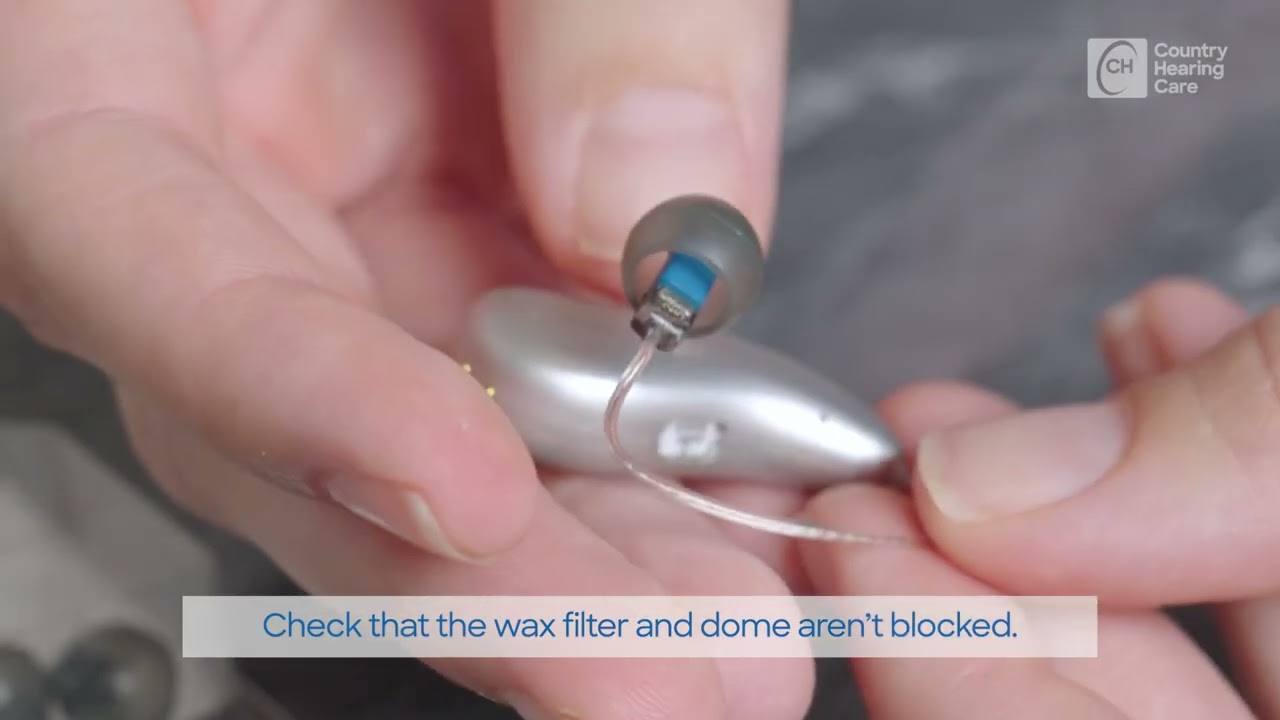
  2. Check whether the dome, earmould, receiver or wax filter is blocked.
  3. Check whether the microphone openings are clear.
  4. Restart the hearing aid if your clinician has shown you how.
  5. Try the hearing aid again in a quiet place.
  6. If sound does not return, contact Country Hearing Care for support.

Helpful tips

  1. Keep a small hearing aid care kit in one place so cleaning tools, batteries, filters and chargers are easy to find.
  2. Notice whether the problem happens in one hearing aid or both.
  3. Write down what you have already tried before contacting the clinic.
  4. Bring the hearing aid, charger, batteries and accessories with you if you need an appointment.

When to contact us

  1. The hearing aid is completely silent after battery, charging and cleaning checks.
  2. Sound suddenly changes, becomes uncomfortable or distorted.
  3. The hearing aid is physically damaged.
  4. The problem keeps returning.

A note about these videos

These videos provide general information only and do not replace individual clinical advice. Hearing aid models, batteries, filters, apps, iPhone settings and Android phone settings vary. Please contact Country Hearing Care if you are unsure, if your device looks different, or if a problem keeps returning.